For quite a long time, I've been working on a puzzle game called Satelital, a rule-discovery game about learning alien logic.
As a solo developer, I decided to start this project from scratch. My motivation was to learn the actual fundamentals behind the technology of videogames. This meant I had to build most of the tools I would need myself, including the game engine, renderer, puzzles, editors, UX, design, art and music.
Now that I've finally managed to release the game, I think it's a good moment to share how I built it.
The main reason I got into programming was the idea of eventually working on games. I spent many years working on web and building mobile apps. It was fun, but I felt like I wasn't going in the direction I really wanted to.
So one day, after listening to every Jonathan Blow talk I could find and playing too much The Witness, I decided to finally give it a try.
I spent many days and countless hours looking for the best tool I could use to make a game, but nothing left me satisfied. The closest I got to having fun with gamedev was with the LÖVE framework making a few jam games. But even with that, it felt quite limiting to not really know what was happening behind the graphics I somehow managed to animate on my screen.
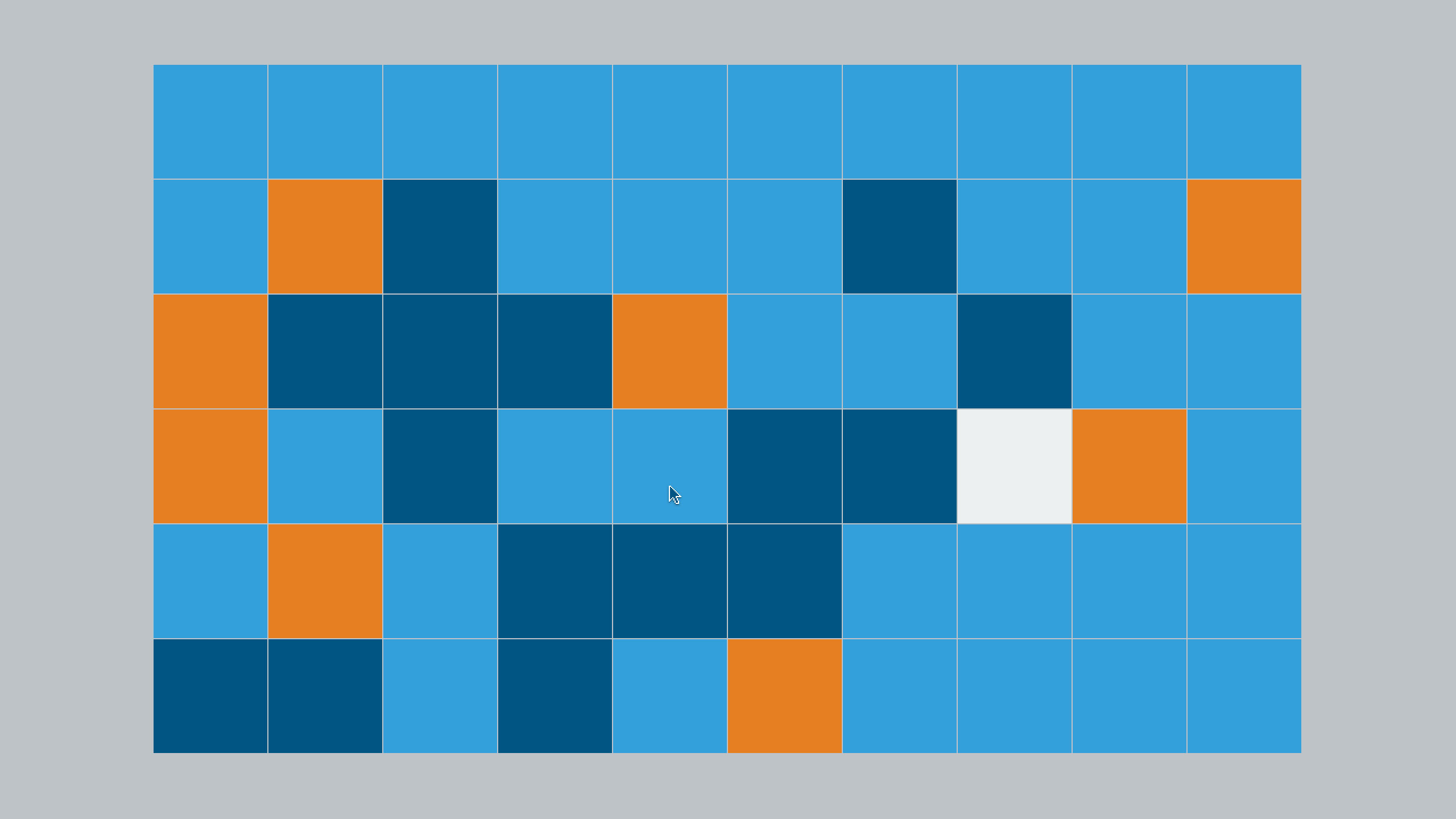
I remember hearing about shaders and parallel programming. The concept always felt very arcane and mysterious to me, but now writing them is the thing I enjoy the most while coding.
I finally decided to jump into the swimming pool and actually learn C++. I had to learn how to manage memory and how not to shoot myself in the foot with the wrong tools. I started using SDL2 while trying to use the C++ standard library as little as possible.
Before getting too deep into the engine, I actually finished a prototype of the game quite early. It had very early versions of four kinds of puzzles that mostly survived until the final game. It was made entirely with SDL2, but I soon realised that if I wanted to have more interesting graphics, I would need to use shaders and decided to switch to OpenGL.
With the help of LearnOpenGL I quickly had a triangle on the screen. From there, learning things like lighting, tonemapping, normal maps, shader effects and everything else opened up a whole new way of looking at computers for me. Before, my idea of how a computer actually draws to the screen was quite naive. When I started learning graphics I just wanted to be able to manually change the color of each pixel individually, but in the end the idea of running a program in parallel for every pixel clicked for me.
One thing that made a huge difference while working on shaders was having code reloading. Before that, I had a complex system that stored constant values in config files, which would later get passed through uniforms into shaders. Then a custom development menu would provide some UI to tweak those values at runtime. With that I stopped having to reload and compile everything for every little change I wanted to make.
It worked, but having to maintain all this extra scaffolding was slowing me down. Another unexpected downside of this setup was that, in some cases, the shader compiler couldn't optimize the code as well as it otherwise could, since knowing constant values ahead of time helps it make better decisions.
Having shader reloading made a huge difference. Being able to change some code, save the file and immediately see the result on screen was very useful. Iterating on shaders became much faster and more fun. This was probably my biggest regret about not having it from day one.
For a big part of the development I was using SDL2, mainly to create a window, read input and get a surface to draw on. But it felt wrong to depend on a library that was several times bigger than my entire game just to handle a few seemingly simple tasks. I decided to drop that dependency and make my own platform layer that I could understand and maintain. I wouldn't have to wait for someone else to fix a bug anymore because now I could just change it myself. It wasn't that hard to end up with a single file with a few thousand lines of code that supported both macOS and Windows. I'm now looking forward to working on mobile and console ports, it feels like it might be a fun thing to work on.
At some point during development, compile times were getting longer, so I decided to look into what was going on. I checked where all that time was going, and to my surprise a lot of it was spent compiling standard library things. Stuff like std::function was particularly slow for example.
Eventually I realised that I wasn't actually forced to use the standard library just because it was there, and the subset I needed wasn't that hard to implement myself. It took me a month to replace it with my own base library, but it was so worth it. Not only did compile times get faster, but I also learned how a lot of things I had always taken for granted in other languages actually worked.
At some point I started looking into Vulkan because I wanted HDR. I couldn't get it working on macOS through OpenGL and I was worried about OpenGL being deprecated in the future. Also I didn't really want to build the whole engine around an API that might become deprecated.

Moving to Vulkan was rough at the beginning. There was so much boilerplate to type and understand. Also, when I started working on the engine, there wasn't much documentation around how to implement a good backend with it. In hindsight, I feel that even though I got a lot of valuable things from tutorials and books, most of them were overcomplicating something that could be much more straightforward. I still have nightmares about trying to resize a window...
Getting Vulkan working on macOS was actually surprisingly easy thanks to MoltenVK. It was nice not having to learn Metal and being able to keep the same codebase on Windows. The engine started out only working on macOS, so I was afraid I'd run into a lot of issues when porting it to Windows. But I was quite nice to see Vulkan just working the same day I tried it.
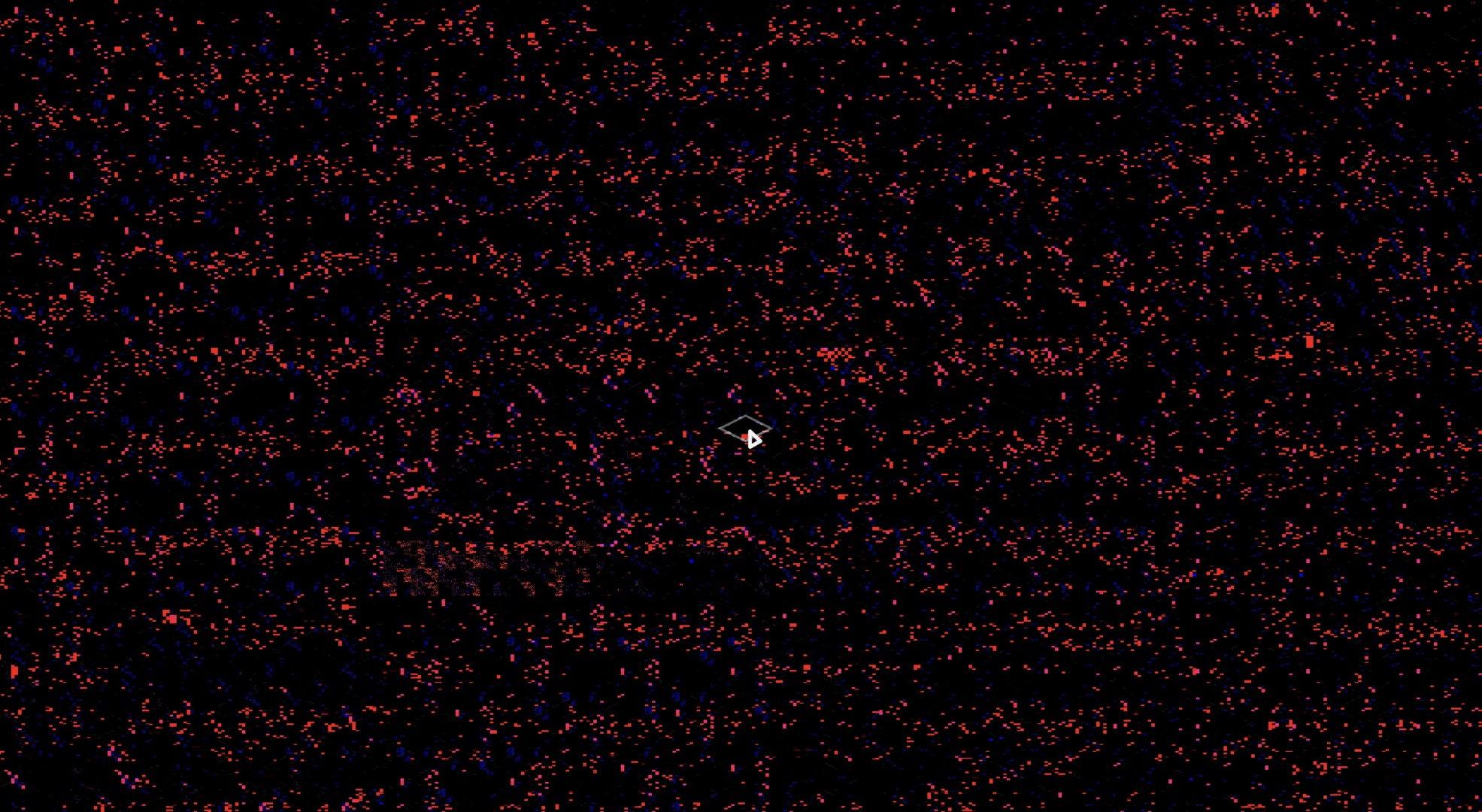
My philosophy from day one was to only grow the engine towards exactly what I needed. This was a long solo project, so trying to build a general purpose engine first, without knowing what I needed, would probably have meant never finishing the game. I did waste time on things I thought I would need, but I cut them when I knew I wouldn't be using them. Because I was also learning C/C++ along the way, I made many coding mistakes but I wasn't afraid of big refactors. Cleaning the codebase helped me bring up my morale.
From the beginning I wanted to avoid making a 3D engine since I knew that might complicate things too much. But after I finished the prototype, I kept learning about shader techniques and effects. So in the end, my goal was to get as close as possible to a 3D look without actually having to load any 3D polygons.
To do this, I chose an orthographic top-down view so I could just prerender the assets in Blender and then load their albedo, normal and height maps as textures. Having a fixed camera meant I could render all the assets from exactly the same perspective, so they would always fit together properly in the game. Other things that needed to be animated were drawn in the pixel shader using SDFs. The terrain of the planets was too big to be stored entirely in textures, so in most cases I had to procedurally generate them in shaders too.
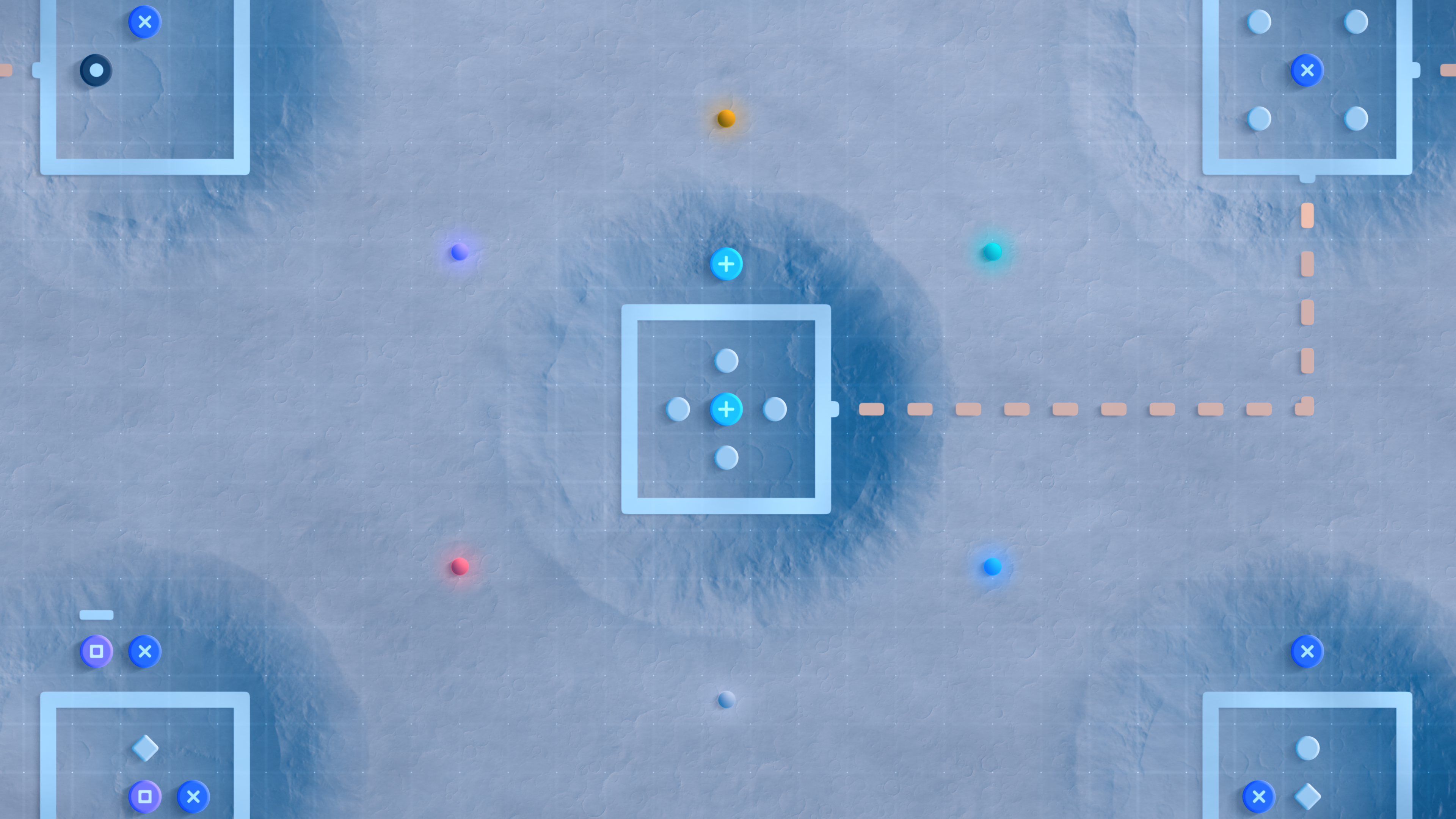
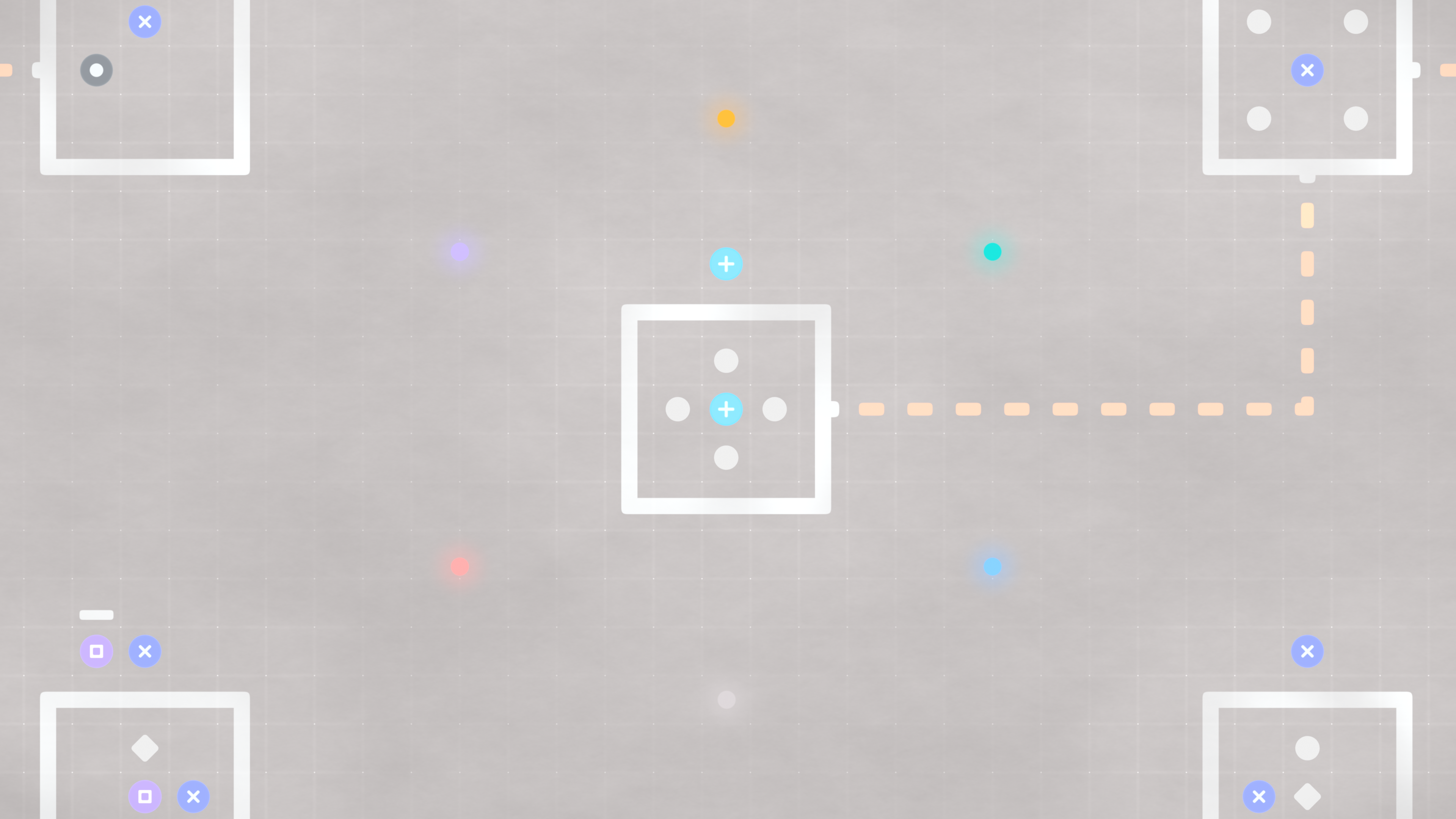
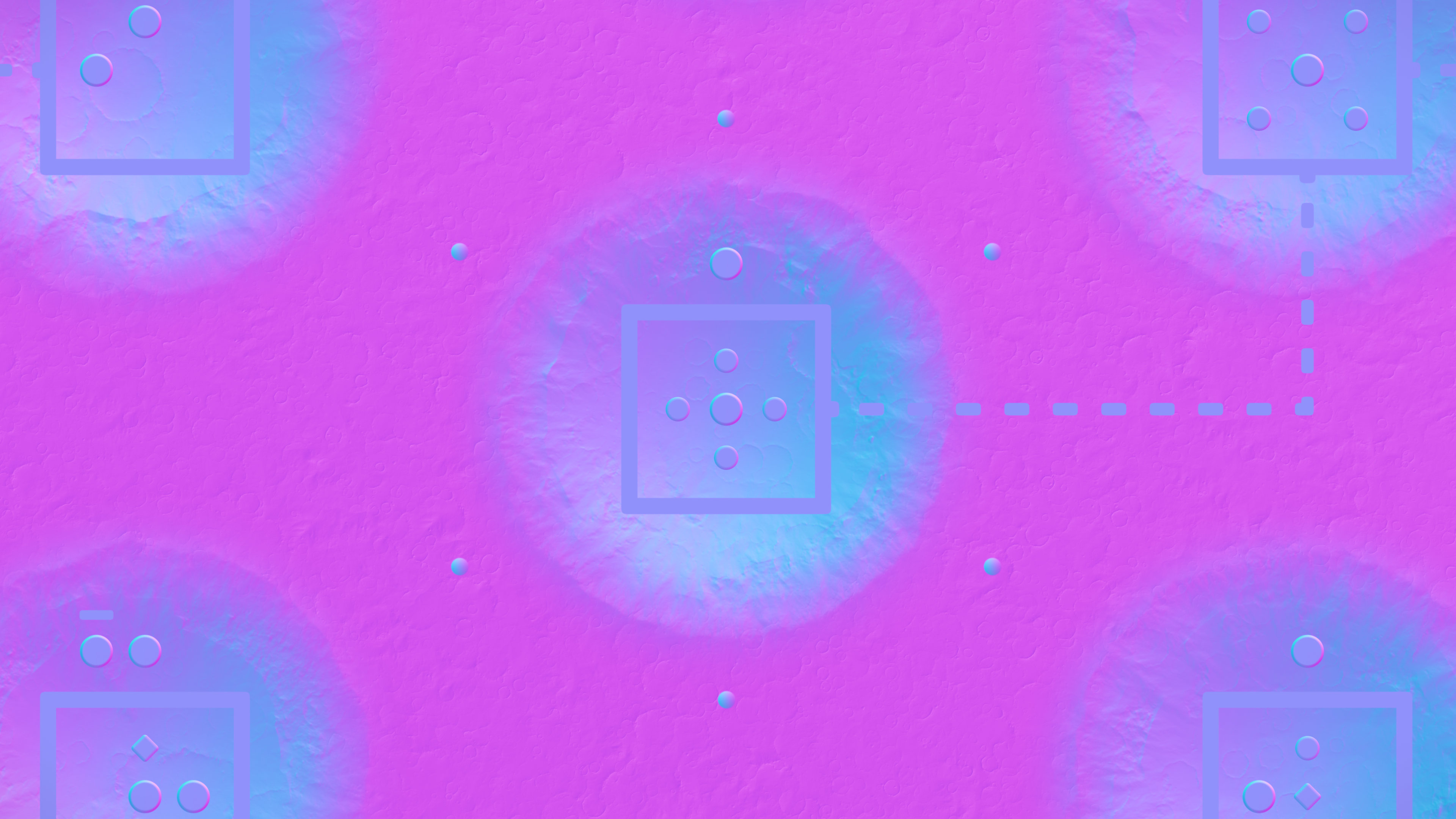
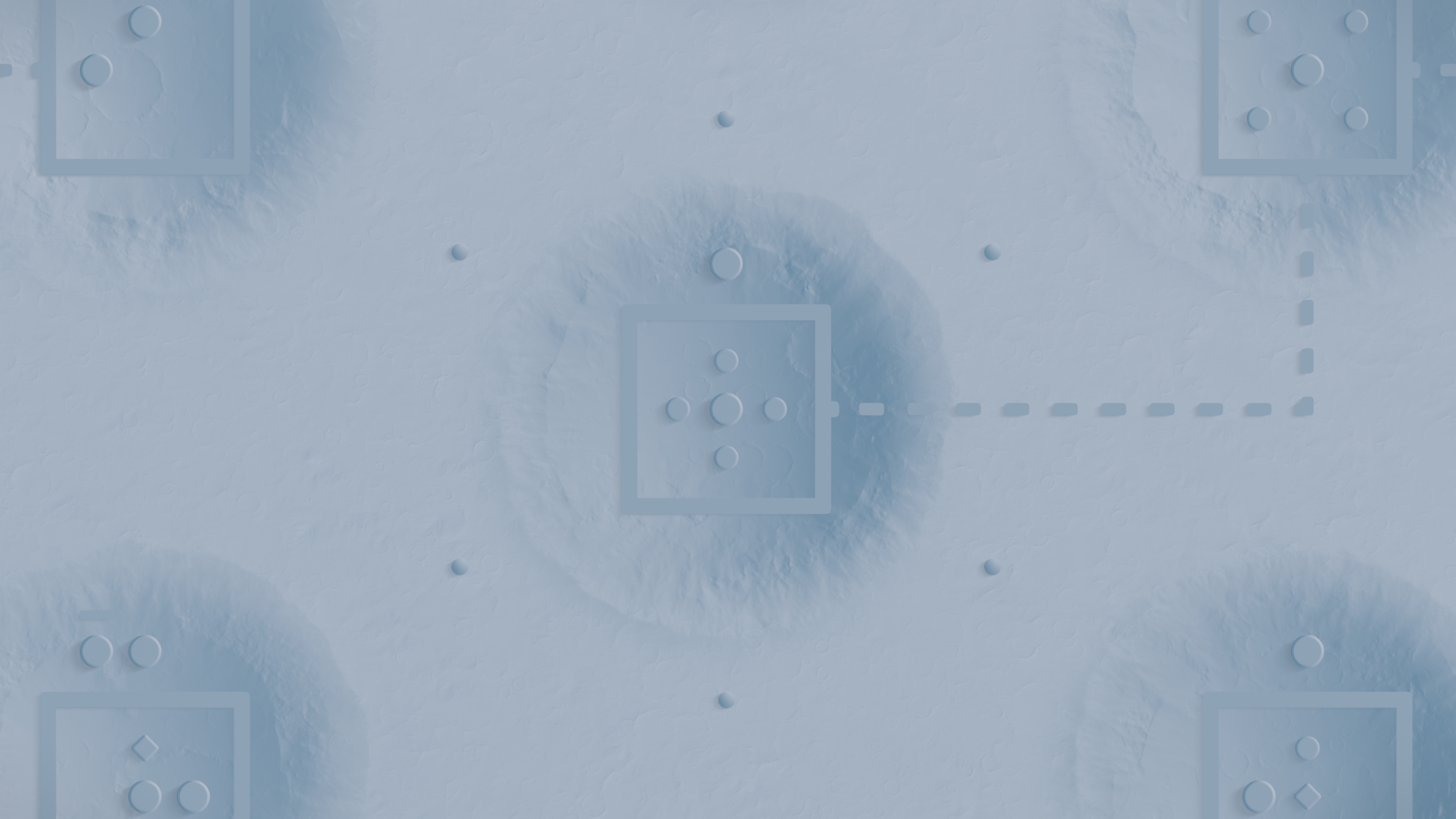
Since I wanted a 3D look with dynamic lighting, I also needed dynamic shadows. The final approach I settled on was ray marching. With the height map of each prop, I could make them look as if they were actually sitting in a 3D space, even though everything was still rendered in 2D. In the shader I basically march along the direction of the light and sample the height map to figure out where a shadow should be drawn.
Having the height map was also useful for other things. For example, I could use that information to make objects interact with the water in a convincing way. Objects can actually submerge in the ocean instead of looking like flat images drawn on top of it. This is also how the waves can interact with the shore around an island.
The engine was only one part of making a complete game. I also had to build a custom level editor. I wanted to make it as easy as possible to design and iterate on puzzles, so I integrated an edit mode that allowed me to change puzzles and the enviroment at runtime and see the changes in real time.
It was quite fun to quickly draw and tweak puzzles directly in the game. It helped me discover so many ideas. After making thousands of puzzles, you start to develop a sense of beauty about how a puzzle should be. Having this editor allowed me to get into the zone. I could spend hours making puzzles without actually thinking about the tool I was using.
Alongside the in-game editor I made a custom Blender plugin that could load my level config files into Blender. The game had a file watcher that could detect changes in the baked textures of the 3D models rendered by Blender. But it could also load level data and provide another way to edit. The upside was being able to just use Blender tools like multi-select, but aside from that, it wasn't actually that useful. It was cool to make though, and it's an interesting demo. But just being able to edit things in-game was much better, since you can see how it will actually look in the end. Though having said that, looking at the levels in an actual 3D environment feels quite nice.
Building the game with all these custom tools brought some issues. They worked on my machine, but when I started playtesting I began to find lots of bugs that were tricky to reproduce. The hardest ones were related to graphics, due to differences in hardware and drivers on machines I didn't have access to. Tools like Vulkan validation layers were quite useful, though they didn't catch everything.
Another thing that was tricky to deal with was shader compatibility. When using GLSL, if you rely heavily on making visual effects with noise related functions, you will find issues with things like sin or pow because the specification doesn't guarantee their precision. So I had to be constantly checking that everything looked the same on as many different hardware configurations as I could find. For a while, I didn't notice that the distribution pattern of my stars looked different across vendors. It looked correct, but I wanted to have the same placement of stars wherever you played to make it feel more like an actual place.
Having good logs to see how the internals of the game were working ended up being very useful. It was essential for me to have them after I released the demo and started getting feedback from users who were seeing errors I couldn't reproduce. Many of them reported a black screen when trying to open the game for the first time, and these were caused by many different kinds of problems. Sometimes it would be a missing extension, sometimes a third party Vulkan layer injecting code that prevented the frame from being drawn, or some other particular driver issue. Without the logs showing the exact point when the error happened, it would have been almost impossible to fix these bugs without having the actual hardware.
The logs ended up being quite useful for performance. For example, when trying to do optimizations for Intel GPUs, I noticed that some of the biggest shaders were being compiled in a non-optimal way. I basically ran the whole game in just 2 big shaders, one to blend the scene with all the quads, and another pass where I do lighting, shadows and effects like water, where the final normal and height map of the scene are presented. Because these shaders were so big, they couldn't be compiled for SIMD16.
These integrated Intel GPUs are quite common on laptops, and they can shade 16 pixels at once, but only if everything in the shader fits in a small amount of very fast memory. Because my shaders grew so much and I wasn't even aware that this would be an actual issue, the driver was quietly falling back to shading 8 pixels at a time, making the game run noticeably slower. Once I had this information in the logs, I could see what I needed to trim down. I reduced the number of values I needed to keep around as much as possible, while also avoiding duplicated code caused by things like macros until everything fit again.
During development I was always careful about how demanding the game was, but after switching to a faster computer I started paying less attention to it. It's quite easy to just settle for something that looks good enough and move on to the next thing when you're busy. That's why I started targeting the Steam Deck and aiming for stable 90 FPS. It helped me keep performance in sight and avoid things that would make the game too slow on low-powered platforms.
I feel like I threw away a lot of work during development because the art and design of the game changed several times. In hindsight, I think it was good to keep the mentality of avoiding things that would make the game slow and keeping an eye on the performance stats. But it was only towards the end of the game that I could simply focus on performance without worrying about optimizing things in a way that would make them hard to generalize or reuse in the future, since the game was finished.
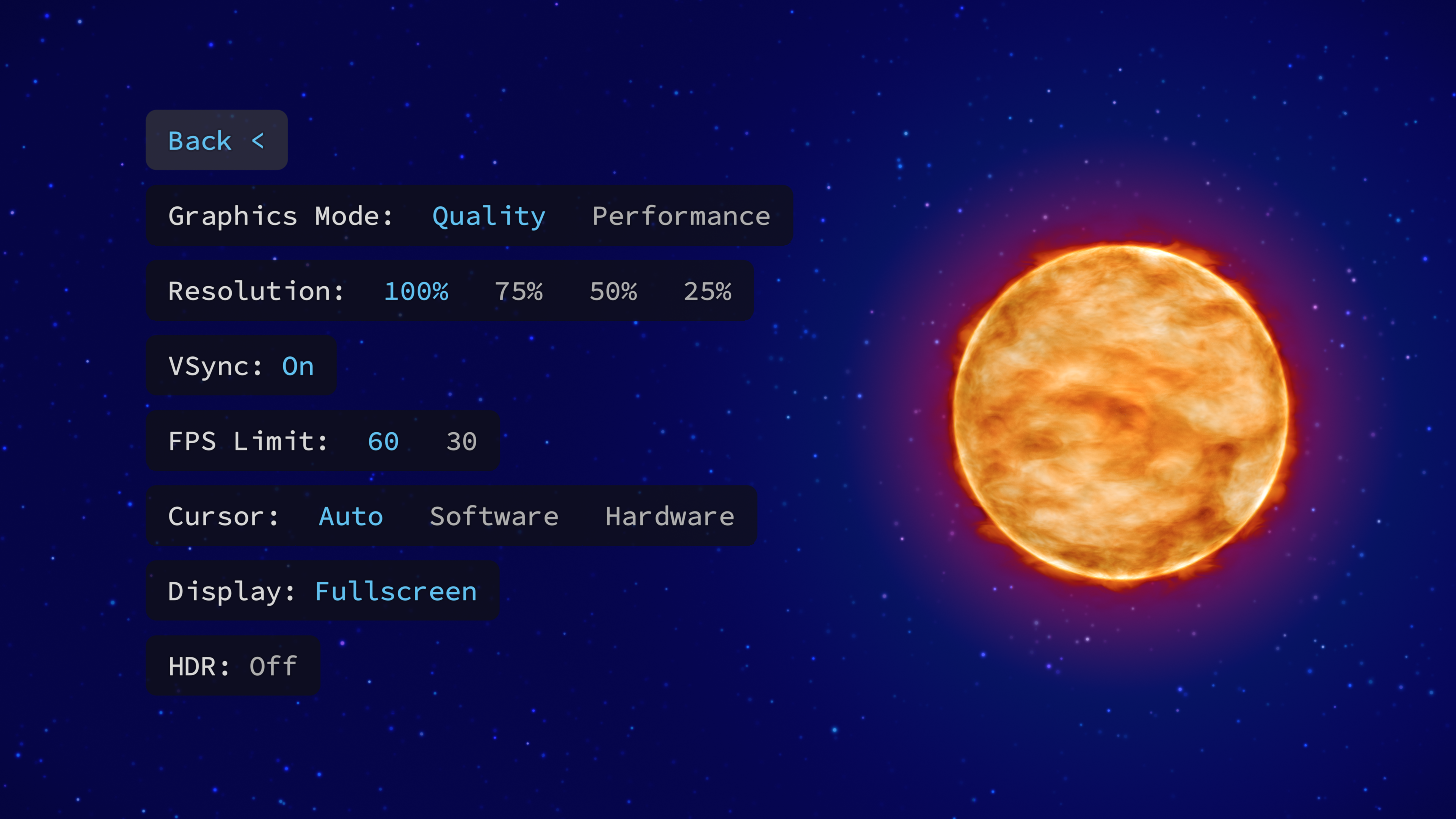
In the end I actually added a performance mode that tones down a few special effects, but I think it was a good decision to do that when the game was finished. Otherwise, you suddenly need to be testing and tweaking more than one version of the game while making changes and adding new things.
A frame limiter was something else I added to help slower laptops maintain a stable framerate. This also brought the necessity of adding an option to draw the cursor in hardware. For the whole development I was drawing the cursor within the game in software, and that meant some lag was unavoidable. Many users complained about this when the demo was released.
This happens when you use Vsync because the last frame you're seeing is actually buffered, so the frame is already behind the input. The OS has a special mode for drawing the cursor that prevents these issues, but then you lose the ability to apply effects to it, like fluid animations or doing some lighting around it. Being aware of this also helped me focus on reducing the input lag of the game as much as possible. When running the game with the frame limiter, you notice immediately that the cursor becomes super laggy. For that case, having a hardware cursor was necessary.
Looking back on all these details, being able to change basic engine things like that is super hard, or almost impossible, with closed engines. I worked with Unity before, doing some ports, and the mentality there was that you had to follow a set of "good practices" and deal with whatever was decided for you, even though the hardware in most cases could do better. It was very rough and slow at the beginning when making a custom engine, but the freedom you get at the end of development is very satisfying.
I feel lucky I got the chance to take this long road and actually make it to the end. I stumbled into something really interesting, and had so many moments of realization while working on this project that I lost count.
After all these years, I'm quite happy now to have found the perfect excuse to actually study the things I love the most to work on.
If you enjoyed this article, consider giving Satelital a try. The game is available on Steam, with a free demo available.